In this section
What is Internurse?
Internurse is a comprehensive, searchable online database of peer-reviewed nursing journals used for professional development, education, and clinical research.
The journals cover both primary and secondary care settings as well as specialist nursing practice across a range of areas including cardiology, neuroscience, mental health, palliative care and wound care.
Titles include:
British Journal of Cardiac Nursing
British Journal of Mental Health Nursing
British Journal of Nursing
Independent Nurse
International Journal of Palliative Nursing
Journal of Lower Limb and Wound Care
Journal of Prescribing Practice
British Journal of Healthcare Assistants
British Journal of Neuroscience Nursing
Gastrointestinal Nursing
Journal of Family and Child Health
Journal of Kidney Care
Journal of Wound Care
Practice Nursing
You can search for articles across the whole databases using basic keywords or advanced search options, or you can go to each journal separately and view current articles plus archives.
How do I access Internurse?
When you’re at work you can access Internurse and download articles without any username/password, but if you want to access articles remotely on your mobile device or at home, you will need an OpenAthens account.
How to sign in with OpenAthens:
- In the top right-hand corner of the Internurse homepage click on ‘Login/register’.
- Click on ‘Institutional Login’.
- Type in the name of the institution: ‘Lancashire Teaching Hospitals NHS Foundation Trust’ and select it from the drop-down menu.
- Enter your OpenAthens username and password and click ‘Sign in’.
You now have full access to the articles on Internurse.

Searching across the whole database
You can do a simple search using the search box on the home page.
- Enter your search terms, e.g. dementia, and click on the search icon:

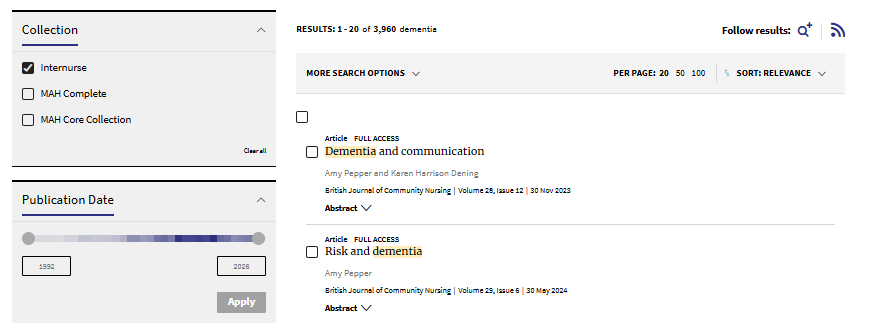
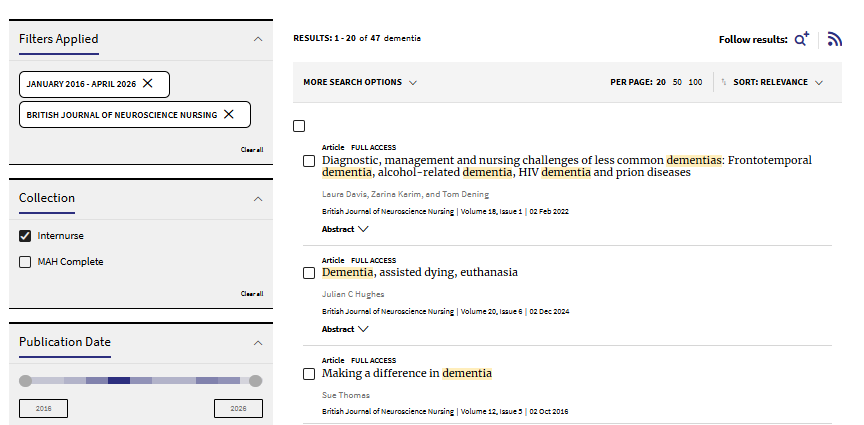
2. A list of relevant articles will be displayed containing your keywords. You can sort by relevance or date using the drop-down menu at the top of the screen. There are also filters at the side such as publication date and article type to help narrow your search results.
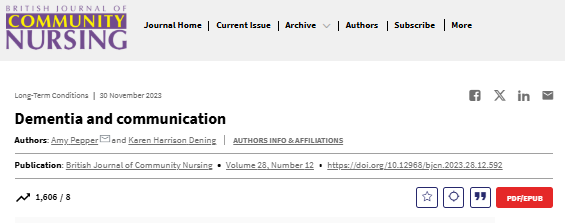
Click on the arrow next to ‘Abstract’ to find out more about the article. Click on the title of the article title to be taken to the full-text:
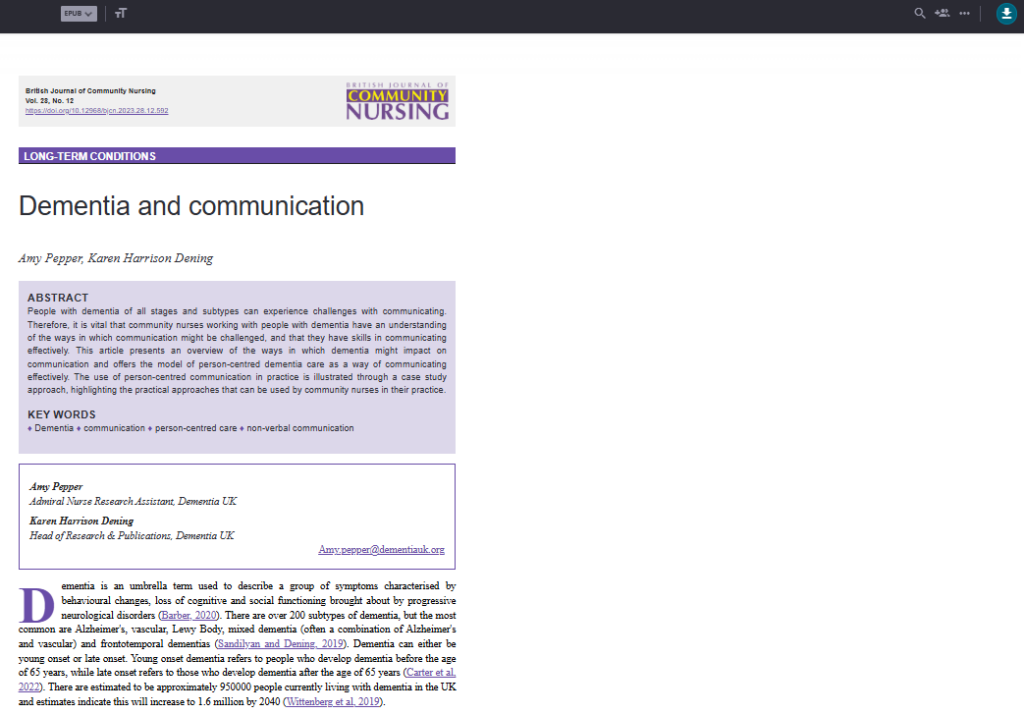
3. You can read the article online, or you can download a PDF version to print or read offline. Click on the red button ‘PDF/EPUB‘:

4. Click on the download icon in the top right corner of the screen:
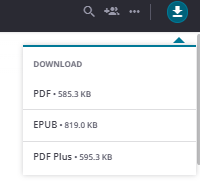
5. Select PDF from the drop-down menu:
6. A pop-up box will appear. Click on ‘Open file’:
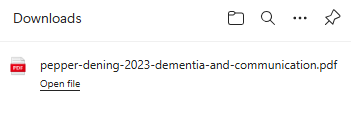
7. The PDF will open. You can now save it to you device:

Advanced searching
If your simple search is giving too many results you can do an Advanced search to help you narrow down the results.
Click on the ‘Advanced Search’ option underneath the main search box:
You will see various advanced search options:
- Click on ‘Anywhere’ and a drop-down menu will appear with options to search only in the Title, Author or Abstract.
- Select your preference then enter a keyword, e.g. dementia.
- You can then choose a specific journal by typing the title of the journal into the ‘Published in’ box and selecting it from the drop-down menu.
- You can then add a custom range of dates, e.g. a 10 year period.
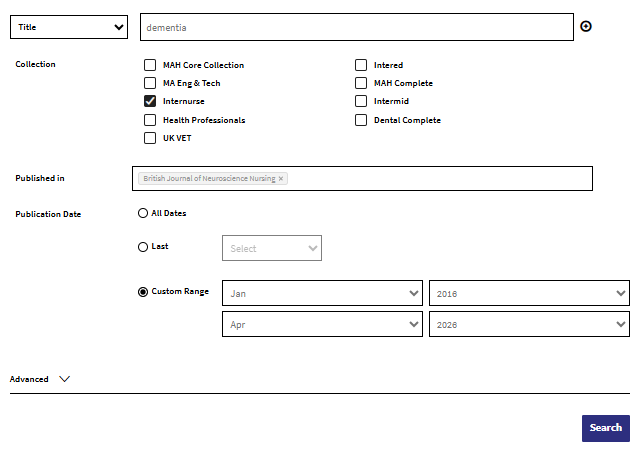
Once you’re happy with your chosen filters you can search again. Your results will be more managable:
Searching within a specific journal
You can search archives and do keyword/advanced searching in individual journals on Internurse.
- From the Internurse homepage, click on ‘Journals’ at the top of the page . A drop-down list of all the journals on Internurse will pop-up.
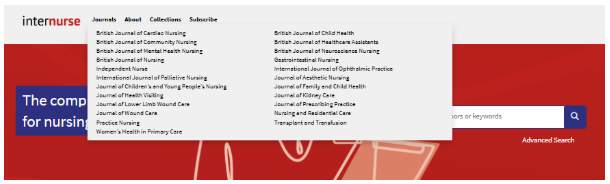
2. Choose your journal of interest, e.g. British Journal of Nursing.
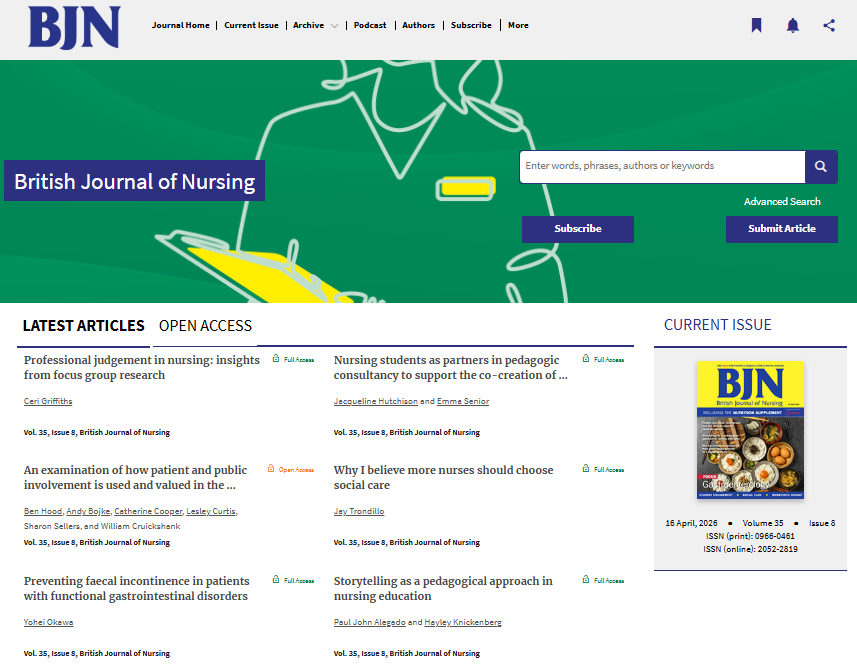
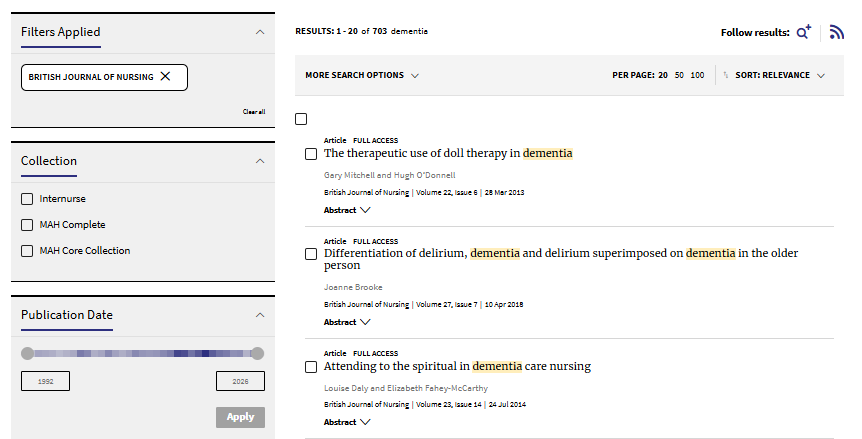
3. Type your keywords into the search box, e.g. dementia, and click on the search icon. A list of results will appear.
Follow the instructions given in the previous sections on how to filter results and download articles.
4. Go back to the journals homepage and click on ‘Archive’ at the top of the page to access the full archive of this journal.
Select the year/volume/issue you want to look at. You have full-text access to the PDFs in the archive which can be downloaded as previously shown.

Register with Internurse
If you register for an account you can set up alerts so you’ll never miss new articles from your favourite journals.
- Click on ‘Login/register’ in the top right-hand corner.
- Scroll down and you’ll see ‘Are you a new user? Sign up’. Click on ‘Sign up’.
- Enter your email and click ‘Continue’.
- Verify your email by entering the code emailed to you.
- Enter your name, choose a password, and click ‘Continue’.
- Confirm your registration by clicking ‘Confirm’.
- Once registered you will see your name in the right-hand corner of the homepage, click on this and select ‘Profile’.
- Click on ‘Alerts’ at the left-hand side.
- You’ll see a long list of journals. Select the journals you want to receive alerts for and click ‘Submit’ at the bottom.
With a personal account you can also save favourite articles. When viewing an article click on the star icon to add it to your favourites. Click on your name in the top right corner and go to your profile to see your favourite articles.